
Organize Your Household with a Minimalist Digital Chore Chart

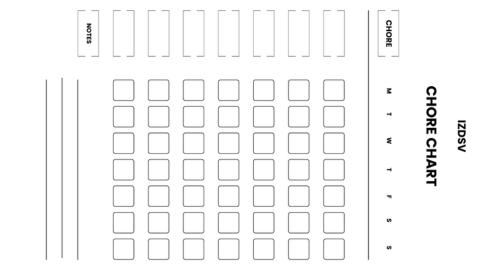

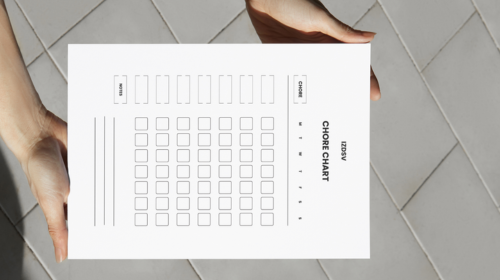
What is a Minimalist Digital Chore Chart?
A minimalist digital chore chart is a streamlined, clutter-free electronic tool designed to track and manage household tasks without unnecessary complexity or visual distractions. It focuses on essential features like task assignment, completion tracking, and basic scheduling while eliminating decorative elements and complicated features that don’t serve a practical purpose.
Key characteristics include:
- Clean, simple interface with minimal colors and graphics
- Essential functionality only (task names, assignees, due dates, completion status)
- Easy-to-navigate design that reduces cognitive load
- Accessible on digital devices like smartphones, tablets, or computers
- Focus on usability rather than aesthetic embellishment
- Quick task entry and completion marking
- Absence of gamification elements unless specifically needed
- Straightforward organization system (by person, day, or category)
Benefits of Using a Digital Chore Chart
Digital chore charts offer significant advantages over traditional paper versions, including real-time updates, automatic reminders, and accessibility from multiple devices. They eliminate the need for physical materials and make it easier for families or roommates to stay coordinated regardless of their location.
Primary benefits are:
- Automatic notifications and reminders so tasks aren’t forgotten
- Real-time synchronization across all family members’ devices
- Easy editing and rearranging without erasing or rewriting
- Accessibility from anywhere, not just at home
- Environmental friendliness by eliminating paper waste
- Historical tracking to see patterns and completion rates over time
- Reduced visual clutter in your physical space
- Ability to quickly duplicate recurring tasks
- Option to share responsibilities transparently among household members
- Integration potential with calendars and other productivity tools
- Customizable for different household sizes and needs
- No risk of physical damage or loss like paper charts
Creating Your Minimalist Digital Chore Chart
Creating your minimalist digital chore chart involves establishing a simple, functional system that eliminates complexity while keeping everyone accountable for household tasks. The goal is to build a tool that’s so straightforward and low-maintenance that it actually gets used consistently rather than abandoned after a few weeks.
Essential steps for creation:
- Start with a complete household audit by walking through each room and listing every task that needs doing
- Categorize tasks by frequency: daily (dishes, bed-making), weekly (laundry, vacuuming), monthly (deep cleaning), and seasonal (window washing, decluttering)
- Determine who will be responsible for each task based on age, ability, schedule, and fairness
- Choose your digital platform or app that everyone can easily access and update
- Set up a simple naming convention for tasks that’s clear and consistent (use “Kitchen: Wash dishes” rather than vague labels)
- Input all tasks into your chosen system with their frequency and assigned person
- Establish clear completion criteria so everyone knows what “done” looks like for each task
- Set up reminder notifications at appropriate times when people are likely available to complete tasks
- Create a minimalist visual structure using only essential information: task name, person, due date, and status
- Avoid over-categorizing or creating too many subcategories that complicate the system
- Keep color coding to a minimum—use it only if it genuinely improves clarity
- Test the system for one week and gather feedback from all household members
- Adjust timing, assignments, or frequency based on real-world experience
- Remove any features or fields you’re not actually using to maintain simplicity
- Establish a weekly review time to mark completed tasks and prepare for the week ahead
- Keep a “parking lot” list for tasks that arise unexpectedly but don’t fit the regular schedule
- Document any special instructions or standards in a separate reference document rather than cluttering the chart itself
- Set boundaries around checking the chart (once or twice daily) to prevent it from becoming an obsession
Choosing the Right App for Your Needs
Selecting the right app is crucial because it needs to match your household’s specific requirements, technical comfort level, and the complexity of tasks you’re managing. The best minimalist chore chart app should feel intuitive from day one and require minimal setup time while still offering the core features you actually need.
Key considerations when choosing:
- Compatibility with all devices your household uses (iOS, Android, web browsers)
- Ease of use for all family members, including children or less tech-savvy users
- Cost structure (free vs. paid, one-time purchase vs. subscription)
- Core features needed: task assignment, scheduling, reminders, completion tracking
- Ability to share and sync across multiple users in real-time
- Privacy and data security measures, especially for family information
- Offline functionality if internet access is unreliable
- Customer support and app update frequency
- User reviews and ratings from similar households
- Customization options without overwhelming complexity
- Export capabilities if you want to back up your data
- Ad-free experience or minimal advertising intrusion
- Integration with existing tools you use (calendars, smart home devices)
Popular minimalist-friendly options to consider:
- Todoist for simple task management with sharing capabilities
- Google Tasks for basic chore tracking integrated with Google Calendar
- Any. do for a clean interface and cross-platform compatibility
- Microsoft To Do for households already using the Microsoft ecosystem
- Notion or Airtable for those wanting more customization
- Simple shared note apps like Apple Notes or Google Keep for ultra-minimal approaches
Designing an Effective Chore Schedule
An effective chore schedule balances workload fairly, accounts for everyone’s availability and preferences, and maintains realistic expectations about what can actually be accomplished. The design should be flexible enough to accommodate life’s unpredictability while still providing enough structure to ensure household tasks get completed consistently.
Essential design principles:
- Start by listing all household chores and their required frequency (daily, weekly, monthly)
- Assign tasks based on age-appropriateness, physical ability, and individual schedules
- Distribute workload equitably, considering the time and effort required for each task
- Group related tasks together to improve efficiency (bathroom cleaning all at once)
- Schedule heavy-duty tasks during weekends or days off when more time is available
- Build in buffer time and flexibility for unexpected events or busy periods
- Rotate unpleasant tasks among family members to maintain fairness
- Consider energy levels throughout the day when scheduling (morning vs. evening tasks)
- Include both individual responsibilities and shared/family tasks
- Set realistic completion times to avoid overwhelming anyone
- Create daily, weekly, and monthly task categories for better organization
- Allow for personal preferences when possible (some prefer morning cleaning, others evening)
- Include occasional deep-cleaning tasks that don’t need frequent repetition
- Leave some unscheduled time for spontaneous tidying or catching up
- Review and adjust the schedule monthly based on what’s working and what isn’t
- Use color-coding or labels minimally to distinguish task types or family members
- Keep the visual layout clean and scannable at a glance
- Set up automated recurring tasks rather than manually recreating them each time
How to Implement Your Digital Chore Chart
Implementation is the critical bridge between planning and actually using your chore chart, requiring a thoughtful rollout that gets everyone on board and establishes sustainable habits. The key to successful implementation is starting simply, communicating clearly, and building momentum gradually rather than overwhelming your household with too many changes at once.
Steps for successful implementation:
- Schedule a family meeting to introduce the new system and explain why you’re making the change
- Demonstrate how to use the app or platform on each person’s device during the meeting
- Walk through how to mark tasks complete, add notes, and check what’s assigned to them
- Start with a trial period of just one or two weeks to test the system without full commitment
- Begin with only the most essential daily and weekly tasks rather than your complete list
- Assign fewer tasks initially to build confidence and establish the routine
- Post a quick-reference guide near a central location (like the fridge) with login info and basic instructions
- Set consistent check-in times when everyone reviews their tasks (morning routine, after dinner)
- Lead by example by consistently completing and checking off your own assigned tasks
- Celebrate early wins and acknowledge when people complete their tasks on time
- Address technical issues immediately so they don’t become excuses for non-participation
- Hold a brief weekly review meeting to discuss what’s working and what needs adjustment
- Gradually add more tasks once the initial ones become habitual
- Create accountability by making completion visible to all household members
- Establish reasonable consequences for repeatedly incomplete tasks (not punitive, but fair)
- Be flexible and willing to reassign tasks if someone is genuinely struggling with their assignment
- Integrate the chart check into existing routines rather than treating it as a separate activity
- Give the system at least 30 days before making major changes—habits take time to form
- Troubleshoot resistance by listening to concerns and making reasonable accommodations
Setting Up Household Chores
Setting up household chores effectively means creating a comprehensive yet manageable system that covers all necessary tasks without overlooking important maintenance activities. The setup phase requires careful thought about what actually needs to be done, how often, and by whom, while maintaining a minimalist approach that doesn’t turn household management into a full-time job.
Key setup considerations:
- Inventory every area of your home: kitchen, bathrooms, bedrooms, living spaces, outdoor areas, and storage
- List maintenance tasks for appliances, systems, and surfaces that are often forgotten (changing air filters, cleaning gutters)
- Determine a realistic frequency for each task based on household size, lifestyle, and cleanliness standards
- Break large tasks into smaller, manageable subtasks (instead of “clean bathroom,” list: toilet, sink, mirror, floor, tub)
- Assign time estimates to each task so people know the expected commitment
- Consider each household member’s age, physical capabilities, work/school schedule, and existing commitments
- Distribute tasks fairly by total time commitment rather than just the number of tasks
- Match tasks to individual preferences when possible (some people prefer cooking, others prefer yard work)
- Create clear, specific task descriptions that eliminate ambiguity about expectations
- Establish quality standards for each task without being a perfectionist
- Include both routine maintenance and occasional deep-cleaning activities
- Account for seasonal variations (lawn care in summer, snow removal in winter)
- Set up task dependencies where relevant (can’t mop floor until it’s swept)
- Build in buffer days for tasks that might take longer than expected
- Include tasks that support the system itself (weekly review, updating the chart)
- Balance indoor and outdoor responsibilities across household members
- Consider pet care, plant watering, and other living-thing responsibilities
- Add vehicle maintenance tasks if they’re household responsibilities
- Include administrative tasks like bill paying or appointment scheduling if shared
- Leave room for spontaneous tidying that doesn’t need to be scheduled
Tracking Progress with Interactive Features
Tracking progress transforms a simple task list into an engaging accountability system that motivates completion and provides valuable insights about household patterns. Interactive features leverage the advantages of digital tools to create feedback loops, celebrate achievements, and identify areas where the system needs adjustment without adding unnecessary complexity.
Essential tracking features to utilize:
- Enable completion checkmarks or swipe-to-complete gestures for instant satisfaction
- Set up push notifications or reminders at optimal times before tasks are due
- Use streak tracking to show consecutive days or weeks of task completion
- Create simple progress bars or percentage indicators for weekly completion rates
- Enable commenting features so family members can communicate about task-specific issues
- Add photo attachments when verification is helpful (especially for children learning tasks)
- Utilize recurring task automation so completed tasks automatically regenerate for next time
- Set up overdue indicators (color changes or flags) for tasks past their due date
- Enable shared household views so everyone can see overall progress at a glance
- Create individual dashboards where each person sees only their assigned tasks
- Use simple statistics like “tasks completed this week” to show productivity
- Set up weekly summary notifications that recap household accomplishments
- Enable task reassignment features for when schedules change unexpectedly
- Use time-tracking features to understand how long tasks actually take versus estimates
- Create completion histories to identify patterns (which tasks get done, which get skipped)
- Set up milestone celebrations when the household reaches completion goals
- Enable collaborative tasks where multiple people can mark subtasks complete
- Use priority levels sparingly to distinguish truly urgent tasks from routine ones
- Create simple reports or summaries for monthly household reviews
- Avoid gamification features that add complexity (points, levels, badges) unless they genuinely motivate your household
- Keep notifications minimal to prevent alert fatigue
- Review your tracking data monthly to optimize task frequency and assignments
- Use the data to have constructive conversations rather than punitive ones
Tips for Maintaining Your Minimalist Chore Chart
Maintaining your minimalist chore chart over the long term requires intentional effort to prevent it from becoming either abandoned or overly complicated. The key is establishing sustainable routines for reviewing, refining, and keeping the system aligned with your household’s actual needs rather than letting it drift into irrelevance or accumulate unnecessary features.
Essential maintenance tips:
- Schedule recurring review sessions monthly or quarterly to assess the system’s effectiveness
- Keep the chart lean by regularly removing tasks that are no longer relevant or necessary
- Resist the temptation to add new features, categories, or complexity without a clear benefit
- Monitor completion rates to identify tasks that are consistently being skipped or delayed
- Adjust task frequency based on real-world experience rather than theoretical ideals
- Update assignments when household circumstances change (new job, school schedule, health issues)
- Simplify task descriptions that are causing confusion or inconsistent execution
- Prune any fields, tags, or categories you thought you’d use but actually don’t
- Check that notification settings still work for everyone’s current schedule
- Archive old or completed tasks rather than letting them clutter your active view
- Maintain consistency in naming conventions and organizational structure
- Test any changes on a trial basis before making them permanent
- Keep a running “issues list” between formal reviews to capture problems as they arise
- Conduct quarterly “minimalism audits” where you actively look for things to remove or simplify
- Update time estimates for tasks based on how long they actually take
- Ensure workload distribution remains fair as circumstances evolve
- Back up your data regularly if your platform doesn’t auto-save to the cloud
- Stay current with app updates, but evaluate new features critically before adopting them
- Document your household standards separately so the chart itself stays uncluttered
- Celebrate what’s working well, not just fixing problems
- Re-train family members if they’ve forgotten how to use certain features
- Keep the system accessible by ensuring all devices have the app installed and logged in
- Address technical issues immediately before they become excuses for non-participation
- Maintain the “one-touch” principle: completing or checking a task should take minimal clicks or taps
- Periodically ask: “Does this task/feature actually serve us?” and remove anything that doesn’t
- Avoid scope creep by saying no to suggestions that don’t align with minimalist principles
- Keep reference materials (instructions, standards) separate from the daily task view
- Check in with disengaged family members to understand and address their concerns
- Refresh the system seasonally to account for changing household rhythms and outdoor tasks
- Remember that maintenance itself should be minimal—if you’re spending too much time managing the chart, it’s not minimalist enough
Regular Updates and Adjustments
Maintaining a functional chore chart requires ongoing refinement to keep it aligned with your household’s evolving needs, schedules, and capabilities. A static system will eventually become outdated and irrelevant, so building in regular review cycles ensures your minimalist approach stays practical and doesn’t accumulate unnecessary complexity over time.
Essential maintenance practices:
- Schedule monthly review sessions to evaluate what’s working and what needs changing
- Track completion rates to identify tasks that are consistently missed or delayed
- Adjust task frequency based on actual needs rather than initial assumptions (some things need more or less frequent attention)
- Remove tasks that are no longer necessary or relevant to your current lifestyle
- Add new tasks only when they’re truly essential, not just nice-to-have activities
- Reassign tasks when someone’s schedule, abilities, or circumstances change significantly
- Update time estimates based on real-world experience to set realistic expectations
- Simplify task descriptions that are causing confusion or inconsistent results
- Consolidate similar tasks that could be done more efficiently together
- Eliminate redundant or duplicate entries that clutter the system
- Adjust notification times if reminders are being ignored or coming at inconvenient moments
- Review seasonal tasks quarterly and activate or deactivate them as appropriate
- Solicit feedback from all household members about pain points and frustrations
- Test small changes for two weeks before making them permanent
- Archive completed or discontinued tasks rather than deleting them (you might want to reference them later)
- Update the system immediately when life changes occur (new baby, job change, injury, house renovation)
- Keep a running list of potential adjustments between formal review sessions
- Maintain the minimalist principle: if you’re debating whether to add something, default to not adding it
- Prune features or fields you thought you’d use but actually don’t
- Document your standards and procedures in a separate reference guide that can be updated independently
- Celebrate what’s working well, not just fixing what’s broken
- Compare current workload distribution to ensure fairness hasn’t drifted over time
Engaging Family Members in the Process
Family engagement is the difference between a chore chart that gets used and one that gets ignored, requiring ongoing effort to maintain buy-in and participation. When everyone feels ownership over the system rather than feeling controlled by it, compliance improves dramatically, and the chart becomes a collaborative household tool rather than a source of conflict.
Strategies for sustained engagement:
- Hold regular family meetings where everyone has a voice in decisions about the chart
- Rotate who leads the weekly or monthly review meeting to distribute ownership
- Ask for input before making any significant changes to tasks or assignments
- Acknowledge and appreciate completed work publicly within the household
- Create opportunities for family members to suggest new efficiencies or better methods
- Allow individuals to swap tasks with each other if both parties agree
- Respect preferences and dislikes when possible, without creating unfair distribution
- Involve children in age-appropriate decision-making about their responsibilities
- Share the “why” behind tasks so people understand the purpose, not just the requirement
- Make completion visible and celebrate household milestones together (like a clean home for guests)
- Address complaints and concerns seriously rather than dismissing them
- Provide training and support when someone struggles with a task instead of criticizing
- Allow flexibility for genuinely busy periods (exam weeks, work deadlines, illness)
- Create a fair system for handling emergencies when someone can’t complete their tasks
- Avoid shaming or punishing; focus on problem-solving and improvement
- Recognize that different people have different standards and find acceptable compromises
- Make the chart review a positive experience, not a critique session
- Let people choose their preferred method of engagement (app, web, or print view)
- Share responsibility for maintaining the chart itself (updating, adjusting, troubleshooting)
- Create team tasks occasionally, where multiple people work together on bigger projects
- Use humor and lightness rather than rigidity and control
- Model the behavior you want to see by completing your own tasks consistently and cheerfully
- Listen to feedback about the system being too complicated and simplify it accordingly
- Adjust the chart as children grow and can handle more complex or time-intensive tasks
- Recognize and accommodate different learning styles and organizational preferences
- Frame chores as contributions to the household rather than punishments or obligations
- Build in rewards or incentives if they genuinely motivate your household (but keep them simple)